Quick answer
- The Infinix GT NX Station is an innovative hybrid: part 9-in-1 desktop USB-C expansion dock, part active semiconductor (TEC) thermoelectric cooler designed to combat mobile thermal throttling.
- It supplies up to 100W USB-C Power Delivery 3.0 passthrough, an HDMI display output for monitor mirroring or extended screen modes, Gigabit RJ45 Ethernet, USB-A peripheral ports, and microSD storage expansion.
- The built-in Peltier cooling contact pad directly targets the phone's thermal zone, effectively dropping surface temperatures during intensive gaming, video rendering, or desktop emulation sessions.
- While engineered primarily for the Infinix GT gaming ecosystem, its standard USB-C DisplayPort Alt Mode and USB PD compliance allow cross-compatibility with other modern Android smartphones and lightweight tablets.
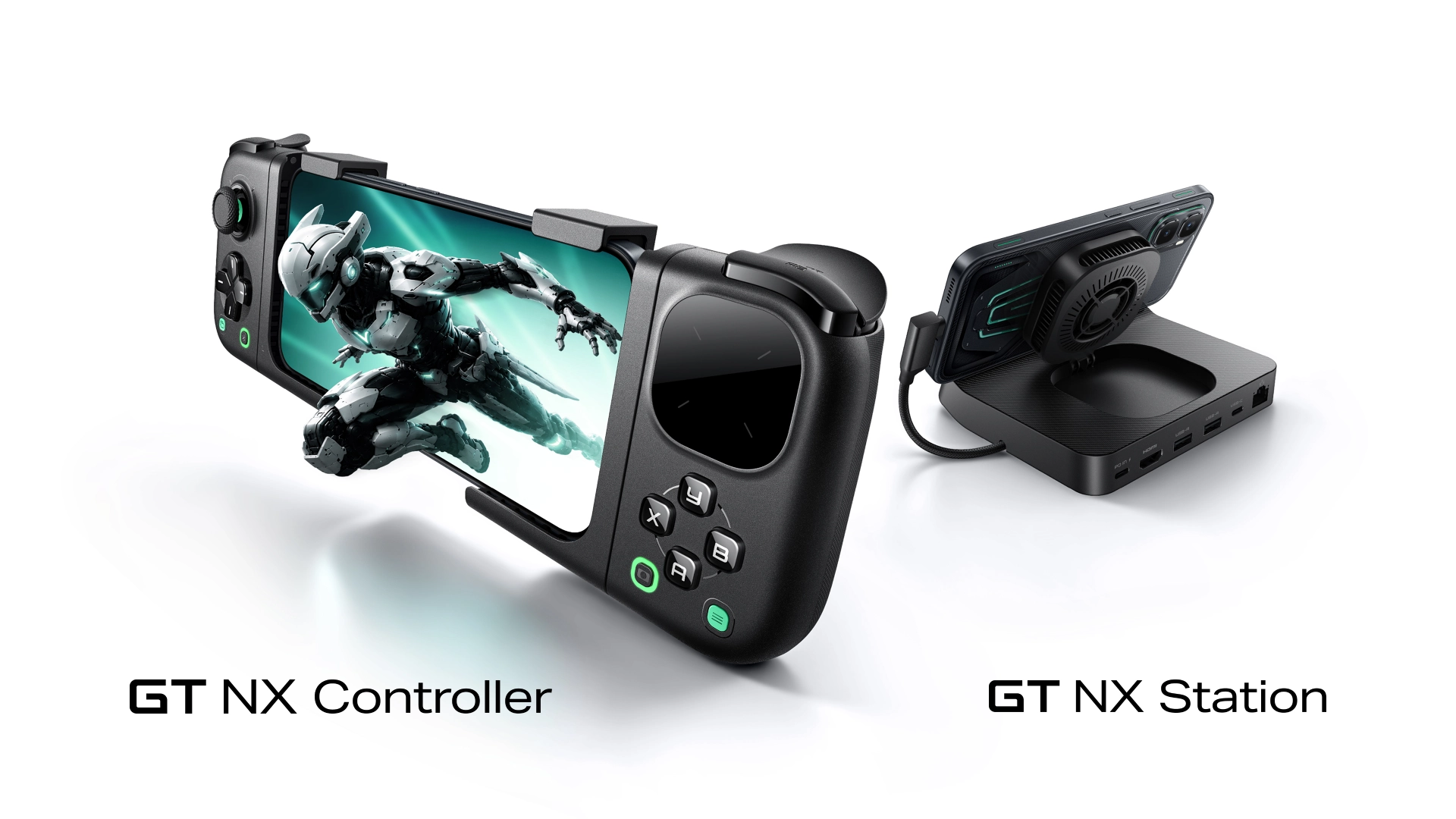 Image source: Infinix Mobility Official (Infinix GT NX Series)
Mobile gaming and desktop convergence have traditionally suffered from two persistent bottlenecks: thermal throttling under prolonged processing loads, and clutter caused by separate dongles for charging, external displays, and low-latency audio.
The Infinix GT NX Station addresses this divide by merging an active Peltier cooling station with a full-fledged desktop breakout dock. Here is an ergonomic and technical breakdown of how the hardware performs when integrated into a home-office or gaming desk setup.
Active TEC cooling: physics versus passive stands
Standard aluminum laptop and phone stands rely entirely on passive ambient convection. Under intense sustained GPU workloads (such as 120 FPS gaming or long video exports), a phone's SoC generates heat faster than bare aluminum can wick away, inevitably resulting in frame drops and aggressive screen dimming.
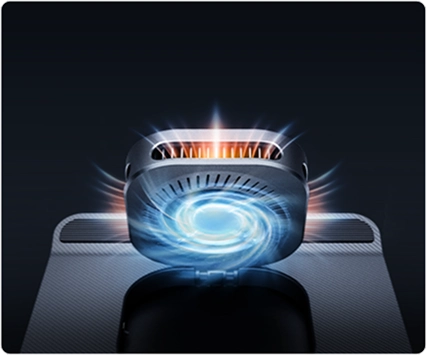 Image source: Infinix Mobility - Built-In TEC Semiconductor Module
The GT NX Station incorporates an active Thermoelectric Cooler (TEC) semiconductor module backed by an internal fan and dynamic RGB cooling vent:
- Peltier Effect Core: Passing electrical current through two dissimilar conductors creates active heat absorption on the device contact plate, transferring the thermal load to an internal finned heatsink.
- Surface Temperature Reduction: Under continuous stress testing, active TEC pads can lower peak chassis temperatures by 10°C to 15°C compared to uncooled operation, preventing the thermal guardrails that throttle system performance.
- Acoustic Profile: The internal fan uses a fluid dynamic bearing profile, remaining unobtrusive under desk ambient noise while moving heat away through rear ventilation slots.
9-in-1 Combat Setup: Port breakdown and desk connectivity
The dock is engineered to transform a handheld mobile device into a semi-desktop workstation with a single USB-C tether.
 Image source: Infinix Mobility - 9-in-1 Combat Setup Interface
The rear and side I/O layout houses nine dedicated interfaces:
- Integrated USB-C Host Cable: Molded, low-strain cable delivering high-speed data, DisplayPort signal, and power delivery directly to the docked handset.
- USB-C 100W PD 3.0 Input: Accommodates high-wattage fast chargers. It powers the TEC cooling array while passing clean bypass power to the phone battery, minimizing internal battery heat generation during use.
- HDMI Output Port: Transmits uncompressed video to computer monitors, high-refresh displays, or living-room TVs. Supports both screen mirroring and desktop UI modes (on compatible XOS desktop software).
- Dual USB-A Expansion Ports: Dedicated 5 Gbps peripheral connections for mechanical keyboards, low-latency 2.4 GHz wireless mice, or external flight/game controllers.
- Auxiliary USB-C Audio/Data Port: Delivers clean digital audio passthrough for USB-C gaming headsets, high-resolution DACs, or auxiliary data drives.
- RJ45 Gigabit Ethernet Port: Eliminates Wi-Fi jitter and packet loss, crucial for competitive multiplayer ping stability and heavy file downloads.
- MicroSD Card Reader Slot: Enables instant offline media expansion, allowing creators to offload drone or camera footage directly to the docked smartphone.
- Dynamic RGB Ring Illumination: Provides ambient peripheral backlighting synchronized with gaming states or standby modes.
The table below summarizes the technical specifications of the dock.
| Interface / Component | Technical Specification | Desk Utility Benefit |
|---|---|---|
| Cooling Engine | Solid-state TEC Peltier + Quiet Fan | Eliminates thermal throttling and screen dimming |
| Power Delivery | USB-C PD 3.0 (up to 100W max input) | Keeps phone battery cool via bypass power |
| Display Interface | HDMI Out (Mirror / Extended Desktop) | Big-screen gaming and productivity workflow |
| Networking | RJ45 10/100/1000 Mbps Gigabit LAN | Stable, low-latency wired connection |
| Peripherals | 2x USB-A 3.0 + 1x USB-C Multi-function | Keyboard, mouse, audio DAC integration |
| Removable Storage | MicroSD UHS-I Card Reader | Rapid local photo/video backup |
Ergonomics and modular controller pairing
A standout aspect of the broader GT NX ecosystem is modular physical control. While the station sits anchored on the desk with cables neatly routed behind it, users can choose between touchscreen interaction, standard keyboard-mouse input, or snapping into the companion GT NX Controller.
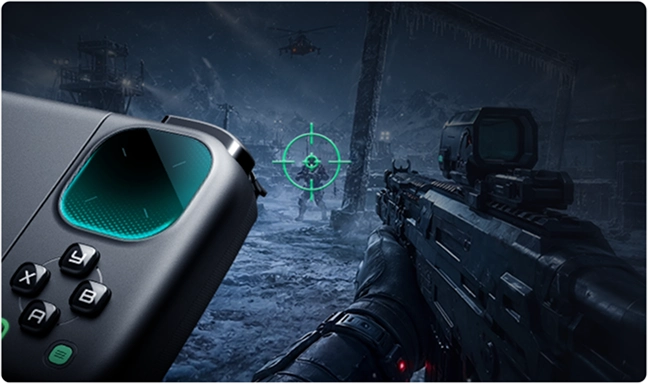 Image source: Infinix Mobility - FPS Precision Touchpad
The peripheral setup features a 1089mm² glass precision touchpad with a 240Hz sampling rate and sub-20ms touch latency. For desk setups where users alternate between quick social messaging and precision gaming, having mouse-like aiming control and multi-finger gesture recognition directly on the physical grip reduces hand fatigue compared to reaching up to tap an angled screen.
Desk setup and cable management tips
To get the cleanest experience out of the GT NX Station on an existing desk:
- Use an independent 65W+ GaN charger: Connect a dedicated USB-C Power Delivery block to the dock rather than powering it from a monitor USB hub. This guarantees full wattage for both the TEC cooling semiconductor and peak smartphone fast-charging.
- Position away from direct sunlight: TEC cooling efficiency depends on ambient dissipation. Placing the station in a ventilated desk area away from hot monitor exhausts keeps the cold plate operating at peak efficiency.
- Route the HDMI cable cleanly: Use a flexible, slim HDMI cable so the dock sits flat on your desk mat without being tilted backward by heavy cable tension.
Sources and further reading
- Infinix Mobility, Official GT NX Station Product Specifications and Engineering Details (https://www.infinixmobility.com/gt-nx-station).
- GSMArena, "Infinix Unveils GT NX Controller and GT NX Station Dock", September 2026.
- EMVCo / USB-IF Specifications for USB4 and USB Type-C Power Delivery (PD 3.0).