Quick answer
- Architecture: Runs locally on macOS, Linux, or private servers without telemetry lock-in.
- Latency: Sub-50ms message parsing and dispatch compared to 800ms+ on cloud stacks.
- Connectivity: Native bi-directional bridges for WhatsApp, Telegram, Discord, Slack, and iMessage.
- Safeguards: Three-tier permission sandbox with mandatory confirmation for file deletion.
Commercial cloud assistants route personal schedules, unencrypted messages, and sensitive files through corporate data centers. That architecture compromises privacy, introduces network latency, and forces vendor subscription lock-in.
OpenClaw, created by engineer and PSPDFKit founder Peter Steinberger, provides an alternative. Built as local-first software (applications that prioritize on-device execution and data storage before reaching the network), OpenClaw turns personal computers and private virtual servers into self-hosted dispatch hubs. It connects everyday messaging apps—WhatsApp, Telegram, Discord, Slack, and Apple iMessage—directly to local terminal binaries, calendar databases, file operations, and physical automation tools.
How does OpenClaw route natural language commands across chat apps?
Commercial voice bots wait passively inside browser windows. OpenClaw runs in the background using a multi-protocol gateway daemon (a background process that translates proprietary messaging protocol events into standardized event streams).
When you send a voice memo via Telegram or a text instruction in WhatsApp, the gateway daemon ingests the payload, strips transport metadata, and checks identity against a local authorization ledger. The core agent resolves incoming tasks using an autonomous ReAct loop (a reasoning-and-acting execution cycle where a model reasons, selects a tool, inspects output, and repeats).
The agent maintains conversational context using session persistence (maintaining user conversation history and variables across disconnections) backed by an on-device SQLite database. OpenClaw also executes proactive heartbeats (scheduled background triggers that wake an agent to check conditions without user input). Every fifteen minutes, a background cron daemon wakes the model to review flight schedules, track unread notifications, or monitor disk space, sending status updates directly to your chat app without prompting.
What local execution safeguards prevent accidental file deletion or tool abuse?
Giving language models direct shell privileges creates serious security vulnerabilities. Uncontrolled agents can execute destructive scripts or overwrite critical directories when processing hallucinated tokens.
OpenClaw isolates system interaction by wrapping tool calling (invoking operating system binaries, file managers, or web APIs through machine-readable commands) in distinct security boundaries. The framework applies sandboxing (isolating software execution within restricted operational boundaries) under the principle of least privilege (a computer security principle restricting user and software accounts to only the resources strictly necessary for their core task):
- Tier 0 (Passive Read Operations): Querying system resource monitors, reading designated markdown notes, or checking weather APIs execute without interruption.
- Tier 1 (Scoped Workspace Writes): Modifying files inside isolated project folders or appending calendar events execute within sandboxed working directories.
- Tier 2 (Privileged System Commands): High-risk actions—such as recursive file deletion, package installations, or external financial webhooks—require human-in-the-loop validation (a control pattern requiring explicit user approval before an automated process performs destructive actions). OpenClaw posts an interactive confirmation card to your Telegram or Discord chat displaying the command string and code diff before execution.
How does OpenClaw compare against cloud assistants and terminal scripts?
Selecting an assistant framework requires balancing privacy, operational scope, and setup effort:
| Dimension | Cloud Assistants (Siri / Alexa / Copilot) | Scripted CLI Agents (AutoGPT / CrewAI CLI) | OpenClaw Local Framework |
|---|---|---|---|
| Data Residency | Proprietary cloud servers | Local terminal environment | Local machine (SQLite / markdown) |
| Messaging Integration | Proprietary apps only | Terminal stdin/stdout only | Native WhatsApp, Telegram, Discord, Slack |
| Proactive Triggers | Rigid server notifications | Manual invocation | Configurable background heartbeats |
| Execution Safety | Walled garden; no OS access | Unrestricted bash execution | Three-tier permissions with interactive approval |
| Model Flexibility | Locked vendor models | API key dependent | Local engines (Ollama) or Frontier APIs |
| Hardware Extensibility | Proprietary home bridges | Custom Python required | Native Home Assistant, serial, and robotics |
OpenClaw bridges the divide between constrained commercial voice assistants and fragile terminal scripts by combining complete operating system agency with ordinary mobile messaging interfaces.
Which LLM backends provide the best balance of speed and local privacy?
OpenClaw is model-agnostic, interfacing with any provider supporting OpenAI-compatible completion endpoints. This allows users to balance hardware resources with privacy goals.
For offline deployments, OpenClaw connects to an on-device inference engine (software optimized to load neural network weights and compute token probabilities) such as Ollama, llama.cpp, or LM Studio. Through quantization (reducing precision of model weights to save RAM and increase inference throughput), models like Llama-3.1-8B-Instruct or Qwen-2.5-Coder-14B achieve 35 to 60 tokens per second on Apple Silicon unified memory (16GB to 32GB RAM).
# ~/.openclaw/config.yaml - Hybrid Model Configuration
agent:
  triage_model:
    provider: ollama
    model: qwen2.5:7b-instruct-q4_K_M
    base_url: http://127.0.0.1:11434/v1
  reasoning_model:
    provider: anthropic
    model: claude-3-7-sonnet-20250219
In hybrid setups, the fast local model handles chat routing, heartbeat checks, and calendar triage entirely offline. When OpenClaw encounters complex programming tasks or legal document analysis, it selectively routes only that context to a frontier model, preserving bandwidth and privacy for routine interactions.
How does OpenClaw integrate with physical hardware and robotics?
Beyond desktop tasks, OpenClaw coordinates real-world actions through embodied AI (artificial intelligence systems that interact with and manipulate the physical environment via actuators or robotic arms).
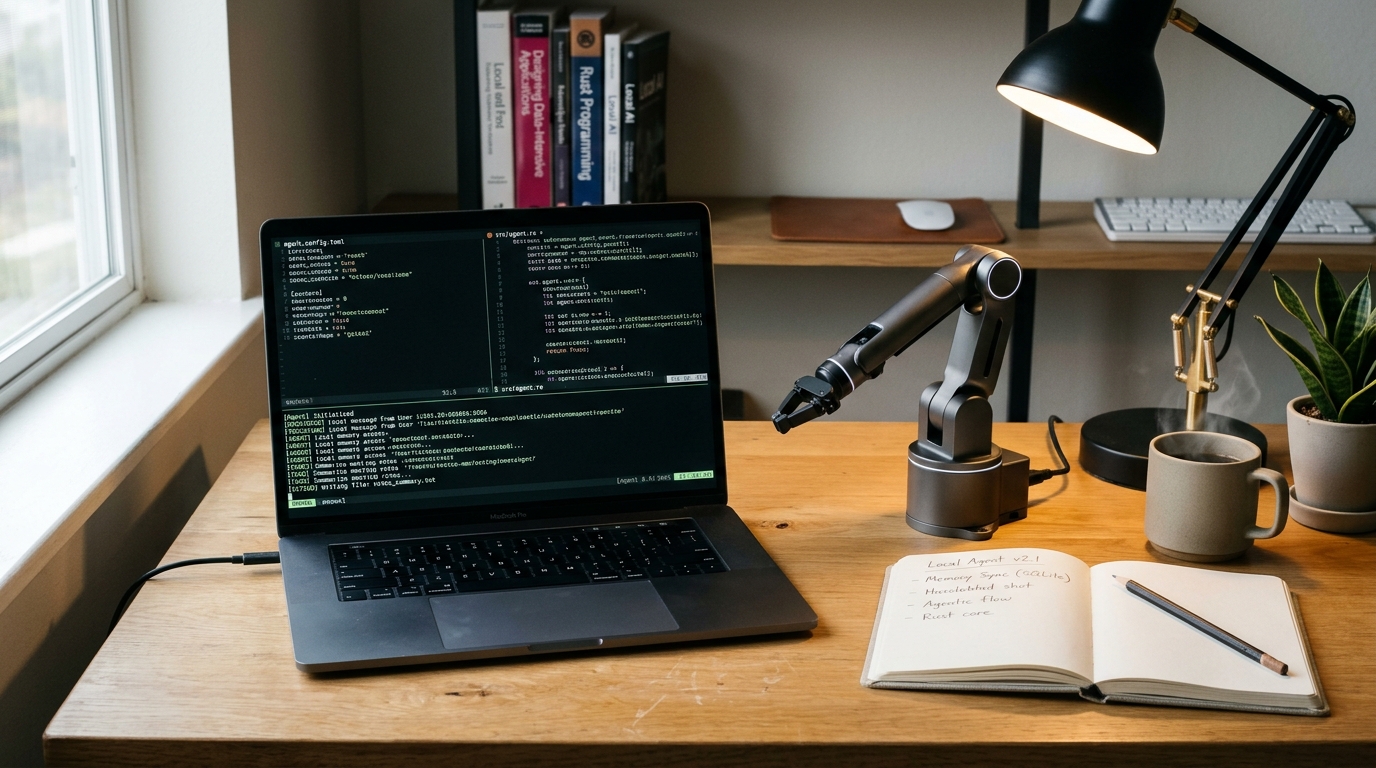
Using local USB serial drivers and local WebSocket relays, OpenClaw interfaces with smart home controllers, microcontrollers, and desk robotic platforms. The framework maintains a localized spatial memory (a digital representation of physical 3D coordinates and recognized objects in an environment) alongside hardware control loops for actuator controllers (electronic devices that convert computational signals into mechanical motion).
Paired with a workspace camera and an open robotic arm (such as the SO-ARM100 or LeRobot platform), OpenClaw converts conversational requests into mechanical motions:
- "Aim the task light at the soldering iron and clear the component tray."
- "Check if the 3D printer finished; take a photo for Telegram, then shut off the smart switch."
Because state variables and video feeds stay inside your local network, automation runs without exposing domestic telemetry to external clouds.
How to set up OpenClaw locally: a step-by-step checklist
Deploy OpenClaw on macOS, Linux, or a home server using this implementation sequence:
- Step 1: Install Node.js runtime and package managers
Ensure Node.js (v20+) and
pnpmare installed:node -v && pnpm -v - Step 2: Clone repository and install dependencies
git clone https://github.com/openclaw/openclaw.git ~/.openclaw-core cd ~/.openclaw-core && pnpm install - Step 3: Configure messaging channel tokens
Create a bot token via Telegram BotFather or set up a WhatsApp API bridge, then populate environment variables:
cp .env.example .env - Step 4: Launch local inference engine
Ensure your local LLM engine is running:
ollama run qwen2.5:7b-instruct-q4_K_M - Step 5: Start the OpenClaw background daemon
pnpm build && pnpm start:daemon - Step 6: Confirm connectivity and security gates
Send
/statusin your chat app to verify roundtrip latency, memory allocation, and sandbox boundaries.
If the free fixes are not enough
| Hardware or Workflow Situation | Primary Bottleneck | Recommended Solution |
|---|---|---|
| Laptop sleeps when lid closes | Background heartbeats and messaging gateways disconnect | Run OpenClaw on an always-on Raspberry Pi 5 (8GB) or refurbished mini-PC running Linux |
| 8GB RAM machine crashes on 14B models | System memory thrashing and slow token generation | Run 3B to 7B quantized models locally; delegate complex prompts to frontier cloud APIs |
| Multiple family members use one bot | Shared conversation state causes context collisions | Configure separate user IDs linked to distinct SQLite files in ~/.openclaw/users/ |
| Desk robot arm misses coordinates | Open-loop drift without visual position verification | Mount a USB overhead camera with local AprilTag or YOLOv8 tracking for visual servoing |
Sources and citations
- OpenClaw Documentation & Architecture: Official technical specifications, plugin schemas, and gateway protocols (
openclaw.aiandgithub.com/openclaw/openclaw). - Peter Steinberger Engineering Notes: Architectural essays on local ReAct loops, proactive heartbeat triggers, and messaging abstractions (
steipete.me). - Stanford Robotics & Embodied Intelligence: Research on spatial memory representations and low-cost robotic manipulation systems for personal workstation environments.
Frequently asked questions
- What is OpenClaw in the personal AI ecosystem?
- OpenClaw is an open-source, local-first autonomous agent framework created by Peter Steinberger that connects LLMs to everyday messaging apps (Telegram, WhatsApp, Slack, Discord) and executes real digital and physical tasks.
- Can OpenClaw run completely offline with local LLMs?
- Yes, OpenClaw is model-agnostic and supports local inference engines like Ollama or LM Studio alongside cloud frontier models like Claude, GPT, or DeepSeek.