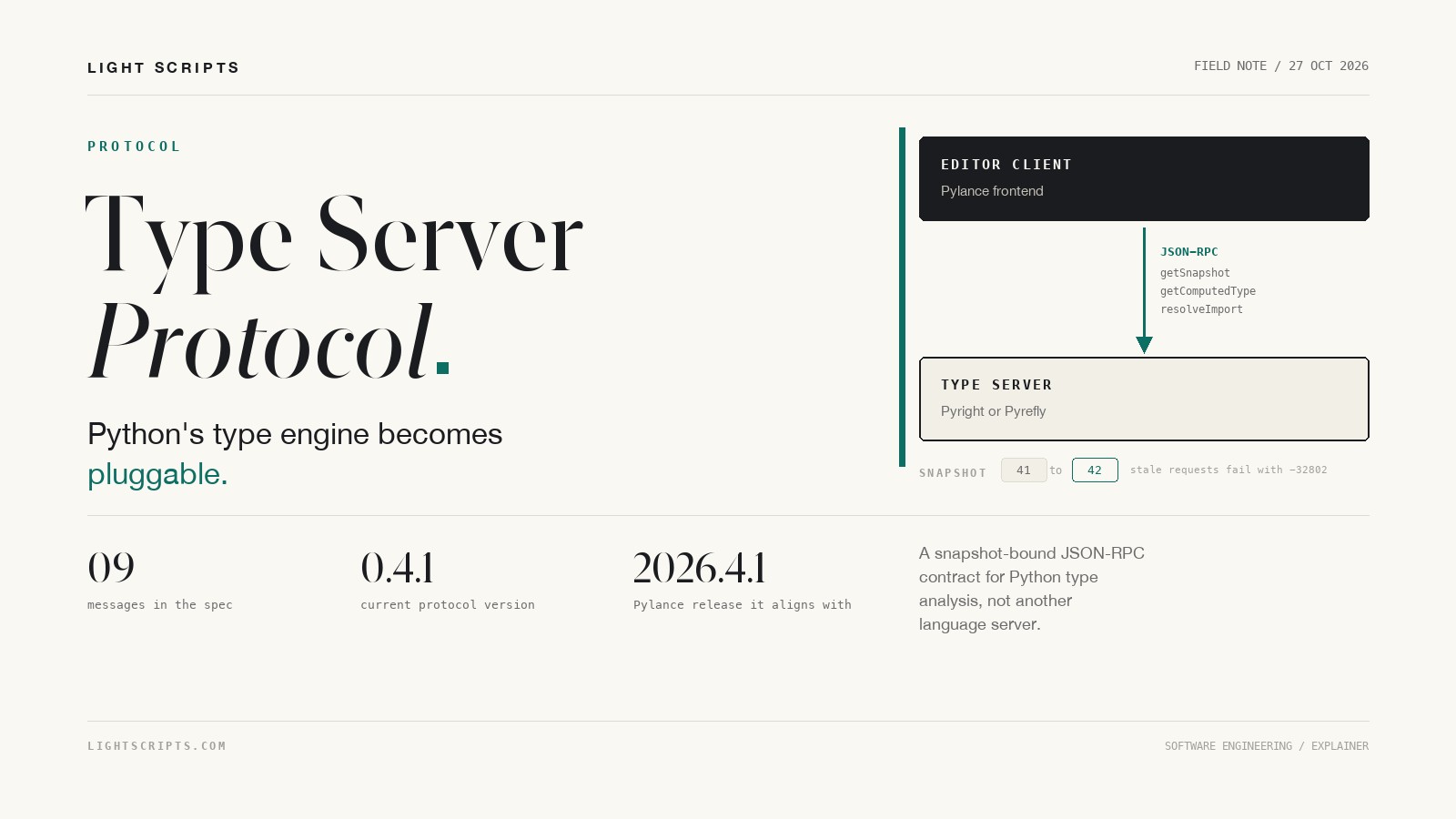
Type Server Protocol (TSP) is a JSON-RPC protocol that lets an editor ask a Python type server what it knows: the computed type at a node, the declared type on a signature, the expected type at a call site, how an import resolves, and which search paths apply. Microsoft documents it in the Pylance repository at version 0.4.1, aligned with Pylance 2026.4.1. It is narrow on purpose. LSP can render a type into hover markdown; TSP hands back the type model itself, which is the one thing the rendering throws away.
Quick answer
- TSP is a query protocol for Python type analysis. It is not a new language server and it does not replace LSP.
- It reuses LSP positions, ranges, and URIs, and adds
typeServer/methods on the same JSON-RPC connection. - Nine messages cover version negotiation, snapshots, search paths, import resolution, three type queries, and connection control.
- Snapshots make every answer consistent: a stale request should fail with a retryable error, and the client retries.
- Pylance uses the protocol to run Pyrefly alongside its own diagnostics engine.
- The spec is 0.x and Python-specific. Treat it as a moving integration contract, not a finished standard.
What is the Type Server Protocol?
A Python editor extension does two jobs at once. It owns the editing experience, and it owns a type-analysis engine that reads the workspace, resolves imports, and infers types. TSP splits those jobs with a wire contract.
The type server keeps the analysis state: open documents, configuration, installed packages, search paths. The client decides what to ask and how to show it. The protocol is the boundary between them, and it is deliberately narrow.
It is JSON-RPC, with methods under the typeServer/ prefix. It uses LSP's Position and Range shapes and the same URI convention, so a client that already speaks LSP does not need a second data model. Lines are zero-based and character offsets are zero-based UTF-16 code units. The transport can be stdio or Node IPC; with stdio, stdout is reserved for protocol messages.
A session starts by initializing shared workspace state, usually through LSP initialize and initialized. The client then calls typeServer/getSupportedProtocolVersion and checks the returned semantic version, calls typeServer/getSnapshot for the first snapshot identifier, and sends its queries. typeServer/snapshotChanged tells the client when earlier results are no longer valid.
The version history is short. 0.1.0 started the protocol, 0.2.0 added request types and fields, 0.3.0 moved to more complex type shapes, 0.4.0 introduced the Type union that every type query now returns, and 0.4.1 added multi-connection negotiation. While the protocol is in the 0.x line, minor versions may break compatibility.
Why LSP alone is not enough for type queries
LSP answers editor questions. Give me completions at this position. Give me a hover string. Give me diagnostics for this file. Give me the definition location. Those answers are shaped for presentation.
A hover is markdown or plain text. A completion item is a label and an insert text. A diagnostic is a message and a range. None of them exposes the type model the server used to produce the answer.
That is enough for a tooltip. It is not enough for a tool that needs the type itself. A refactoring engine that wants to know whether replacing a call argument changes the inferred type needs the computed type of that argument. A signature helper needs the declared type separately from the computed type. An inlay hint, or an AI coding agent that wants to explain why a call fails, needs the expected type at the call site rather than a rendered hover.
LSP has no request that makes those distinctions. A client that needs them parses hover markup, reimplements part of the checker, or relies on a vendor extension. TSP turns the vendor extension into a documented contract.
This matters more as agents write more code. An agent that can ask for a type instead of scraping a tooltip spends fewer tokens on guesswork. The same shift shows up in the AI agents guide, where tool execution and structured context decide whether an agent loop converges.
How snapshots keep type answers honest
A type query without a version is a race. The user types, the file changes, and the answer computed from the old file arrives after the editor has moved on. TSP handles that with snapshots.
A snapshot is a non-negative integer that identifies a point-in-time view of the analysis state. typeServer/getSnapshot returns the current one. The number never decreases during a session. The server advances it whenever a previously returned result may be invalid: an opened file changes, a file closes, configuration changes, a watched file changes, a dependency changes, or a cache reset changes results. typeServer/snapshotChanged reports the old and new identifiers.
Every query that depends on analysis state carries the snapshot the client believes is current. If the client sends a stale snapshot, the server should reject the request with a retryable error. The spec names JSON-RPC error -32802, ServerCancelled, as the preferred code. The client requests a fresh snapshot and retries. It never gets a mix of old and new state.
The payload follows the same rule. Type objects carry a numeric kind, a numeric id, and a flags bitfield. Type IDs are response-local: they connect TypeReference objects to earlier objects in the same response, and they are not stable across responses. InvalidHandle, -1, is a sentinel rather than an identifier. The point is that one answer describes one consistent state.
A request looks like this:
{
  "jsonrpc": "2.0",
  "id": 17,
  "method": "typeServer/getComputedType",
  "params": {
    "snapshot": 42,
    "arg": {
      "uri": "file:///app/billing.py",
      "range": {
        "start": { "line": 18, "character": 4 },
        "end": { "line": 18, "character": 9 }
      }
    }
  }
}
The TSP message surface
The protocol is small on purpose. Every message is listed in the specification, with its parameters and result shape.
| Message | Direction | Result |
|---|---|---|
typeServer/getSupportedProtocolVersion |
client to server | semantic version string |
typeServer/getSnapshot |
client to server | snapshot number |
typeServer/snapshotChanged |
server to client | old and new snapshot |
typeServer/connection |
client to server | open or close a channel |
typeServer/getPythonSearchPaths |
client to server | search paths for a document |
typeServer/resolveImport |
client to server | resolved document URI |
typeServer/getComputedType |
client to server | inferred type |
typeServer/getDeclaredType |
client to server | annotated type |
typeServer/getExpectedType |
client to server | context type |
The three type queries look similar and answer different questions. Consider this code:
def apply(value: int | str) -> None:
    if isinstance(value, int):
        doubled = value + 1

apply(4)
typeServer/getDeclaredType on the value parameter returns int | str, because that is what the source says. typeServer/getComputedType on value inside the if block returns int, because flow analysis narrowed it. typeServer/getExpectedType on the argument 4 at the call site returns int | str, because that is what the callee accepts.
Each answer is a tagged object, not a string. The type union covers built-in types, declared types, functions, classes, unions, modules, type variables, overload sets, synthesized types, and type references:
kind |
Type |
|---|---|
| 0 | BuiltIn |
| 1 | Declared |
| 2 | Function |
| 3 | Class |
| 4 | Union |
| 5 | Module |
| 6 | TypeVar |
| 7 | Overloaded |
| 8 | Synthesized |
| 9 | TypeReference |
A response wraps the type in the usual JSON-RPC envelope. For a variable with no annotation and no usable inference, getComputedType can return a BuiltIn type:
{
  "jsonrpc": "2.0",
  "id": 17,
  "result": {
    "id": 0,
    "kind": 0,
    "flags": 0,
    "name": "unknown"
  }
}
The rest of the union nests from there. A Union adds subTypes, a Function adds its signature, and a Declared type carries a declaration that points back to source. A client can walk a union, compare function signatures, or render an inlay hint from the same payload. A hover string would have to be parsed again, and the parse would be lossy.
Multi-connection mode and the IPC path
One JSON-RPC connection serializes work. Syntax highlighting, completions, diagnostics, and a burst of type queries can queue behind one another. Multi-connection mode lets a client open extra read-only channels to the same type server so that background work does not block the main pipe.
The feature is negotiated, not assumed. In the LSP initialize exchange, a client that can open extra channels advertises them under capabilities.experimental.typeServerMultiConnection.supportedTransports. A server that can serve them returns the same shape. Multi-connection is enabled only when both sides advertise the capability and the transport lists share at least one kind. The built-in transport kind is ipc.
The main connection still owns everything mutable: LSP lifecycle messages, workspace and configuration state, file watchers, document synchronization, snapshot notifications, and typeServer/connection. Extra connections are TSP-only and read-only. In 0.4.1 they may carry version negotiation, snapshot lookup, search paths, import resolution, and the three type queries. A server must reject LSP traffic and state-changing notifications on an extra connection, and it must work correctly in single-connection mode.
The client opens a channel with a control request on the main connection:
{ "type": "open", "kind": "ipc", "args": ["<ipc-endpoint>"] }
A full-duplex IPC endpoint is one string. A platform that only exposes one-way endpoints uses two strings, input first and output second, both from the server's perspective. Closing uses the same shape. If the server cannot open the channel, it returns success: false with an optional message.
The scope is local. The spec describes IPC between processes on one machine. It does not define remote type servers, HTTP, or authentication.
Why Pylance added Pyrefly
For years, Pylance was the frontend and Pyright was the engine, shipped together. The python.analysis.diagnosticsSource setting breaks that pairing. It accepts Pylance, Pylance + Pyright, and Pylance + Pyrefly.
With Pyright selected, Pyright diagnostics replace Pylance's. With Pyrefly selected, Pylance combines its results with the chosen server. The Pyright option points at pyright-langserver.js, an LSP server; the TSP-tagged work in the changelog is Pyrefly-specific. The python.analysis.pyreflyVersion setting pins a version, an executable path, or nothing. Empty means Pylance finds or downloads the latest version, with 1.1.1 as the minimum. Automatic downloads go to PyPI directly, not through pip's package-feed settings. When Pylance cannot find or download Pyrefly, it shows recovery instructions and switches the setting back to Pylance for the workspace (or the user settings in a folderless window), keeping the configured version or path.
Pyrefly is Meta's type checker, written in Rust and MIT licensed. Its README reports over 1.85 million lines checked per second, PyTorch checked 15 times faster than with either Mypy or Pyright, and IDE rechecks typically under 10 milliseconds. It also states that Pyrefly is the default checker for Instagram's 20-million-line codebase and that PyTorch and JAX have adopted it. All of that is Meta's own accounting: the throughput figures come with no corpus or methodology, and "adopted" is undefined. A CI gate, a default, and an optional extra are not the same commitment.
The changelog is the clearest public evidence that the protocol does real work in a shipping product. The pre-releases that roll up into 2026.4.1 carry TSP-tagged fixes: goto implementation with Pyrefly, missing import code actions, a failing getComputedType call, hover on annotated properties, inherited member completions, and a version mismatch that stopped Pylance from running. A protocol gives those bugs one place to be fixed instead of one fork per editor.
The spec reached the front page of Hacker News on 26 October 2026, with 207 points and 144 comments at the time of writing. That is a lot of attention for a protocol whose entire surface fits in the table below.
There is a limit. diagnosticsSource is window-scoped, so it applies to every workspace folder in the window. A monorepo that wants a different engine per package cannot express that in this setting.
TSP vs LSP vs MCP
Three protocols show up in the same conversation now, and they answer different questions.
| Protocol | Job | Transport | Unit of work | Consumer |
|---|---|---|---|---|
| LSP | editor features | JSON-RPC | document and position | editors and language servers |
| TSP | type analysis | JSON-RPC, usually on the LSP connection | snapshot and type | editor clients and type servers |
| MCP | model context and tools | JSON-RPC over stdio or HTTP | tool call and resource | AI agents |
TSP is not a competitor to LSP. It runs alongside it and borrows its data shapes. MCP is not a competitor either, though the names invite confusion. Pylance ships MCP tools for Copilot: pylanceLSP issues read-only LSP requests, pylanceSemanticContext returns types and dependencies at a cursor, and pylanceInvokeRefactoring applies fixes. Those tools give an agent a way to ask the editor. TSP gives the editor a way to ask the type server. Same JSON-RPC family, different consumer.
If you are building an agent that edits Python, the practical split is to use the editor's MCP tools for workspace actions, and rely on the editor's TSP-backed analysis for the types underneath. An agent that edits Python, such as the one in the OpenClaw guide, reads and writes files in the same workspace a type server is analyzing, so a snapshot-bound answer is the difference between a stale edit and a correct one. The Harness AI pipeline guide covers the adjacent half of that boundary: an agent that changes code still needs a CI gate that type-checks the result, because TSP answers editor queries, not pipeline ones.
What this changes for teams
Most teams will consume TSP without writing it. The visible changes are settings and support expectations.
- Use a current Pylance release. 2026.4.1 is the release the protocol text aligns with, not a switch that turns the feature on.
- To try Pyrefly, set
python.analysis.diagnosticsSourcetoPylance + Pyrefly. If your organization does not allow automatic downloads, install Pyrefly into the selected interpreter and pointpython.analysis.pyreflyVersionat the executable, or pin a version and let the extension fetch it. - Keep a CI type-checking gate separate. TSP is an editor protocol, so a pipeline still needs Pyright or Pyrefly on the command line.
If you build a type server
Start from the compatibility checklist in the spec:
- Negotiate a version the client supports.
- Keep snapshots monotonic.
- Invalidate on document, configuration, watched-file, and dependency changes.
- Return -32802 for stale snapshots.
- Convert positions to UTF-16 at the boundary.
- Return document URIs from import resolution.
- Emit well-formed type objects.
- Advertise multi-connection only when the extra transport is served.
What TSP does not solve yet
- 0.x versioning means a minor release can break a client. Pin the version you implement and test against it.
- The method names are Python-specific.
getPythonSearchPathshas no equivalent for other languages, and the spec does not describe one. - The spec defines no authentication or sandbox. A type server is a local process with workspace read access, and the trust boundary is the editor's process model.
- It standardizes type queries, not diagnostics. The spec defines no diagnostics messages, so diagnostics remain a separate concern that still has to agree on document state.
- One vendor drives it. Pyrefly support proves the seam works, but adoption by Zed, Neovim, or JetBrains is not guaranteed.
- It does not make type checking faster by itself. Multi-connection removes a queue; the checker still does the work.
Frequently asked questions
Is the Type Server Protocol a replacement for LSP?
No. TSP usually runs beside LSP on the same connection. Clients commonly use LSP initialize to establish workspace state, and document synchronization is what drives snapshot invalidation. Drop LSP and you lose completion, diagnostics, and navigation, and TSP's snapshots have nothing to fire on.
Does TSP only work with Pylance and Pyrefly?
Pylance is the client that ships today, and Pyrefly is the alternative engine it can run. The protocol is not tied to either one: any client can implement the nine messages, and any Python type server can answer them. The Python-specific method names are the main constraint on reuse in other languages.
Is TSP stable enough for production tooling?
The current version is 0.4.1, and the spec warns that minor versions may break compatibility. That is usable inside an editor that ships both sides together, which is how Pylance uses it. A third-party tool should pin a version, handle -32802, and test against the Pylance release it supports.
Do I need to change my code or configuration to benefit?
No code change. You need a recent Pylance, and you only change settings if you want a different diagnostics engine. The default remains Pylance, so existing workspaces keep working after the update.
How is TSP different from the Pylance MCP tools?
The MCP tools let an AI agent ask Pylance for workspace information and actions. TSP lets the editor frontend ask a type server for types. They can be used together, but they are different interfaces with different consumers.
Sources and further reading
- Type Server Protocol specification, Microsoft Pylance repository, aligned with Pylance 2026.4.1.
- Language Server Protocol 3.17 specification, Microsoft.
- Pylance changelog and settings, including
python.analysis.diagnosticsSourceandpython.analysis.pyreflyVersion. - Pyrefly, Meta's Python type checker, MIT licensed.
- Hacker News discussion, 26 October 2026.
- Pylance MCP tools for Copilot.