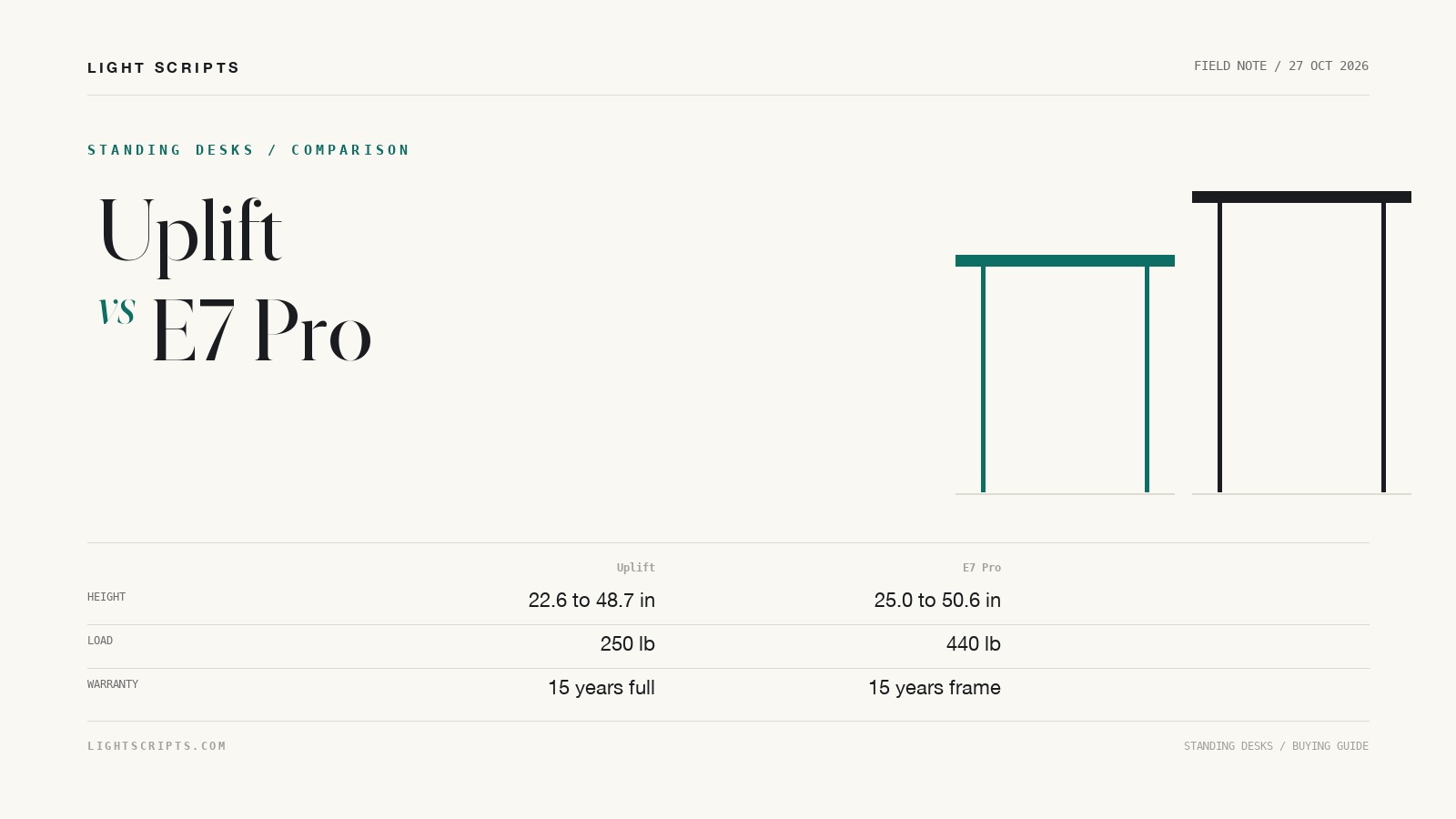
Uplift V2 vs Flexispot E7 Pro is still one of the most searched standing desk comparisons, but the Uplift side of it has moved. Uplift no longer lists a V2 product page; its current entry desk is the V3 Essential, at $469. Flexispot still sells the E7 Pro, at $399.99 on sale against a $499.99 list price. That makes the useful 2026 comparison the V3 Essential against the E7 Pro, with the V2 treated as a used-market question rather than a new purchase.
Quick answer
- Uplift V3 Essential: 22.6 to 48.7 inches, 250 lb lift capacity, 15-year coverage on the frame, motors, electronics, and desktop, $469 base.
- Flexispot E7 Pro: 25.0 to 50.6 inches, 440 lb static load, 15-year frame and motor coverage but a 2-year chipboard desktop, $399.99 on sale.
- The E7 Pro carries 190 lb more and reaches 1.9 inches higher. The Uplift sits 2.4 inches lower and covers the desktop for the full warranty term.
- Both are dual-motor desks with anti-collision, and both are sold as frame-plus-top configurations rather than one fixed SKU.
- A used V2 is a separate purchase. Uplift publishes no current V2 spec page, so verify the frame label and warranty transfer before paying near new prices.
Why the Uplift V2 comparison is out of date
Uplift's current standing desk line is the V3. The V2 product page is no longer part of the site, and the V3 Essential is the model Uplift now sells at the entry price. That does not mean every V2 has disappeared. It means a new buyer comparing "V2 vs E7 Pro" is comparing a discontinued desk against a current one.
The distinction matters for three reasons. First, a used V2 has no current manufacturer spec page to check against, so the numbers in older reviews may describe a different frame, top, or keypad. Second, warranty coverage follows the original purchase, and Uplift's terms should be confirmed with Uplift before you buy a second-hand desk. Third, the V3 changed the entry price and the frame options, so a 2026 comparison should start from the desk you can actually order.
If you are shopping used, the V2 can still be a good desk. Check the frame label, the height range on the keypad, and whether the anti-collision system works before you hand over money.
Uplift V2 vs Flexispot E7 Pro: the numbers
The V2 column is deliberately empty. Uplift does not publish a current V2 specification page, and filling that column from memory or from an old review would mix frame generations.
| Specification | Uplift V3 Essential | Flexispot E7 Pro | Uplift V2 |
|---|---|---|---|
| Height range | 22.6 to 48.7 in | 25.0 to 50.6 in | Not published |
| Lift capacity | 250 lb | 440 lb static | Not published |
| Frame warranty | 15 years | 15 years | Terms depend on original purchase |
| Desktop warranty | 15 years | 2 years chipboard, 5 years solid wood | Terms depend on original purchase |
| Motors | Dual, 3-stage | Dual | Not published |
| Anti-collision | Yes | Yes | Not published |
| Base price, 27 October 2026 | $469 | $399.99 sale, $499.99 list | Used market only |
Height range: 22.6 to 48.7 against 25.0 to 50.6
The Uplift starts 2.4 inches lower. That matters most for shorter users, because a lower minimum is what lets you sit with both feet flat instead of perching or using a footrest. The E7 Pro starts at 25 inches, which is a common floor for a two-leg frame and is fine for many adults but can be too high for someone around 5 feet 4 inches or shorter.
At the top, the E7 Pro reaches 50.6 inches against 48.7 for the Uplift, a 1.9-inch advantage. That is useful for taller users and for anyone who likes to stand with the desktop above elbow height. The difference is small enough that both desks will work for most people in the middle of the range. Measure your seated elbow height and your standing elbow height before choosing, and use the standing desk height guide to turn those numbers into a required range.
One caveat applies to both: the published range is for the desk as configured, and a thicker top moves the surface up. A 1.5-inch butcher block and a 1-inch laminate do not produce the same seated height even when the frame is identical.
Load capacity: 250 lb against 440 lb
The E7 Pro is rated to 440 pounds of static load. The V3 Essential frame is rated to 250 pounds. That is the largest single difference between the two desks, and it is the one that decides some setups before height or price matter.
A 250-pound rating is enough for two monitors, a laptop, a desktop tower, and the usual desk clutter. It is not enough for a heavy workshop setup, a large printer, or a multi-monitor array with thick arms and a loaded shelf. The E7 Pro's 440-pound figure leaves more headroom, and Flexispot says the E7 Pro has 30 percent more capacity than the standard E7.
Uplift sells a separate V3 frame rated to 355 pounds, so the 250-pound figure belongs to the V3 Essential bundle. Check which frame is in the configuration before you assume the higher number applies. Load ratings are static unless the maker says otherwise, and a desk that lifts a load smoothly can still wobble when someone leans on it.
Warranty: full coverage against frame coverage
Uplift's 15-year warranty covers the desktop, frame, motors, and electronics. Flexispot's 15-year warranty covers the frame, motor, and controller, but the desktop is covered for 2 years on chipboard and 5 years on solid wood.
That difference is easy to miss in a spec table. A standing desk's electronics and motor are the parts most likely to fail, and both companies cover them for 15 years. The desktop is the part that takes the daily wear: spills, monitor feet, clamp marks, and the slow sag that comes from a heavy load in the middle of a long span. Uplift covers that surface for the full term. Flexispot's 2-year chipboard term is shorter than the desk's expected life.
If you plan to keep the desk for a decade, the warranty difference is worth more than the $69 sale gap. If you expect to move house or replace the top in a few years, it matters less.
Frame, motors, and stability claims
Both desks use two motors, and both publish anti-collision systems that stop and reverse when the desk meets an obstacle. Uplift describes the V3 Essential frame as a three-stage design with a 22.6-inch low end and a BIFMA G1-2013 height range. Flexispot describes the E7 Pro as a dual-motor frame with thicker legs and a 30,000-cycle lift test.
Those are manufacturer claims, not independent wobble measurements. Neither company publishes a side-to-side rigidity figure that can be compared directly, and a desk's stability depends on the top, the frame, the floor, and how the load is distributed. The honest answer is that both are two-leg desks in the same class, and neither is a four-leg platform. If stability at full height is the priority, read the standing desk stability checklist and consider a four-leg frame. The two-leg versus four-leg comparison covers the difference in foot clearance and rigidity before you spend more on either of these.
The V3's cable management is the other practical change. Uplift's FlexMount system mounts accessories to the frame without drilling, and the V3 Essential includes a cable manager. Flexispot's E7 Pro integrates a cable management tray into the frame. Both solve the same problem, and neither changes the height or load numbers.
Price: $469 against $399.99 on sale
Uplift lists the V3 Essential at $469 before top upgrades and accessories. Flexispot lists the E7 Pro at $499.99 and currently sells it for $399.99. On list price, the Uplift is $30.99 cheaper. On the current sale, the E7 Pro is $69 cheaper.
Those numbers move. Standing desk pricing is discount-driven, and both companies run seasonal sales. Compare the configured price with the top you want, not the headline frame price. A $399.99 E7 Pro with a larger top and a cable tray can land above a $469 Uplift with a basic top.
What a used V2 buyer should check
A used V2 can be the cheapest way into a good frame, but the lack of a current spec page means you have to inspect the desk rather than trust a model name.
- Check the frame label and the keypad model. On a used desk, the label is the only reliable identifier.
- Run the desk through its full height range before paying. Listen for a grinding motor, watch for a leg that lags, and test the anti-collision reversal.
- Confirm the warranty position with Uplift. Coverage follows the original purchase in most furniture warranties, and a second-hand desk may have none.
- Inspect the desktop for water damage, clamp crush, and sag. A replacement top can cost more than the difference between a used V2 and a new V3 Essential.
- Measure the height range on the actual desk. Do not assume an old review's numbers apply to the frame in front of you.
Decision table
| If this is you | Start with | Why |
|---|---|---|
| You need more than 250 lb of capacity | Flexispot E7 Pro | 440 lb static rating |
| You are shorter than about 5 feet 4 inches | Uplift V3 Essential | 22.6-inch low end |
| You are taller than about 6 feet 2 inches | Flexispot E7 Pro | 50.6-inch top end |
| You want the desktop covered for 15 years | Uplift V3 Essential | Full coverage, including the top |
| You want the lowest current price | Flexispot E7 Pro | $399.99 on sale |
| You found a used V2 | Inspect it as a used desk | No current spec page or warranty for a second owner |
Frequently asked questions
Is the Uplift V2 still available?
Uplift no longer lists a V2 product page. The current entry desk is the V3 Essential. A V2 can still be found used or in remaining retailer stock, but it is not the model Uplift sells new in 2026.
Which is more stable, the Uplift V2 or the Flexispot E7 Pro?
There is no independent wobble test that compares them. Both are two-leg dual-motor desks, and both publish anti-collision systems. Stability depends on the top, the load, and the floor. A four-leg frame is the better answer if full-height rigidity is the priority.
What is the load capacity of the Uplift V3 Essential?
Uplift rates the V3 Essential frame at 250 pounds. Uplift's separate V3 frame page lists 355 pounds for a different frame option, so check the configuration before you buy.
Does the Flexispot E7 Pro warranty cover the desktop?
Flexispot covers the frame, motor, and controller for 15 years. The desktop is covered for 2 years on chipboard and 5 years on solid wood. Uplift's 15-year coverage includes the desktop, frame, motors, and electronics.
Is the Flexispot E7 Pro better for a tall user?
On the published numbers, yes. The E7 Pro reaches 50.6 inches against 48.7 for the Uplift V3 Essential. A taller user should still measure standing elbow height, because a higher maximum only helps if the desktop can rise above your elbows without forcing your shoulders up.
Sources and further reading
- Uplift V3 Essential Standing Desk. Height range, 250 lb capacity, 15-year coverage, and $469 base price.
- Uplift V3 2-Leg Standing Desk Frame. The 355 lb frame option and the V3 frame specifications.
- Flexispot E7 Pro Line Standing Desk. Height range, 440 lb static load, dual motors, and anti-collision.
- Flexispot warranty. Frame, motor, controller, and desktop coverage terms.
- Flexispot E7 Pro manual and test report. The 30,000-cycle lift claim and the published load test.
- Standing desk height guide. Turning seated and standing elbow height into a required range.
- Standing desk stability checklist. What to test beyond the load rating.